Pasing Grades
  • Start Selling
  • Blog
  • Contact
  • 0

    Your cart is empty!

English

  • English
  • Spanish
  • Arabic
Create Account Sign In
  • Library
    • New Prep Guides
    • Featured Prep Guides
    • Free Exam Prep Guides
    • Best sellers
  • General
  • Nursing
    • Research Paper
    • Case Study
    • Discussion Post
    • Assignment
    • Exam
    • Practice Questions and Answers
    • Test Bank
    • solutions manual
  • Accounting
    • Case Study
    • Thesis
    • Study Guide
    • Summary
    • Research Paper
    • test bank
  • English
    • Creative Writing
    • Research Paper
    • Summary
    • Rhetorics
    • Literature
    • Journal
    • Exam
    • Grammar
    • Discussion Post
    • Essay
  • Psychology
    • Hesi
    • Presentation
    • Essay
    • Summary
    • Study Guide
    • Essay
    • Solution Manual
    • Final Exam Review
    • Class Notes
    • test bank
  • Business
    • Lecture Notes
    • Solution Manual
    • Presentation
    • Business Plan
    • Class Notes
    • Experiment
    • Summary
    • Practice Questions
    • Study Guide
    • Case Study
    • test bank
    • Exam
  • More
    • Computer Science
    • Economics
    • Statistics
    • Engineering
    • Biology
    • Religious Studies
    • Physics
    • Chemistry
    • Mathematics
    • History
    • Sociology
    • Science
    • Philosophy
    • Law
  • Pages
    • About Us
    • Selling Tips
    • Delivery Policy
    • Faq
    • Privacy Policy
  • Flash Sale
  • Home
  • CGS 1060C Access Practice Exam Questions and Answers 2026

CGS 1060C Access Practice Exam Questions and Answers 2026

Preview page 1 Preview page 2 Preview page 3
Add To Favorites

Share this item Share this item

  • Item Details
  • Comments (0)
  • Reviews (0)
  • Contact Seller

CGS 1060C Access Practice Exam Questions and Answers

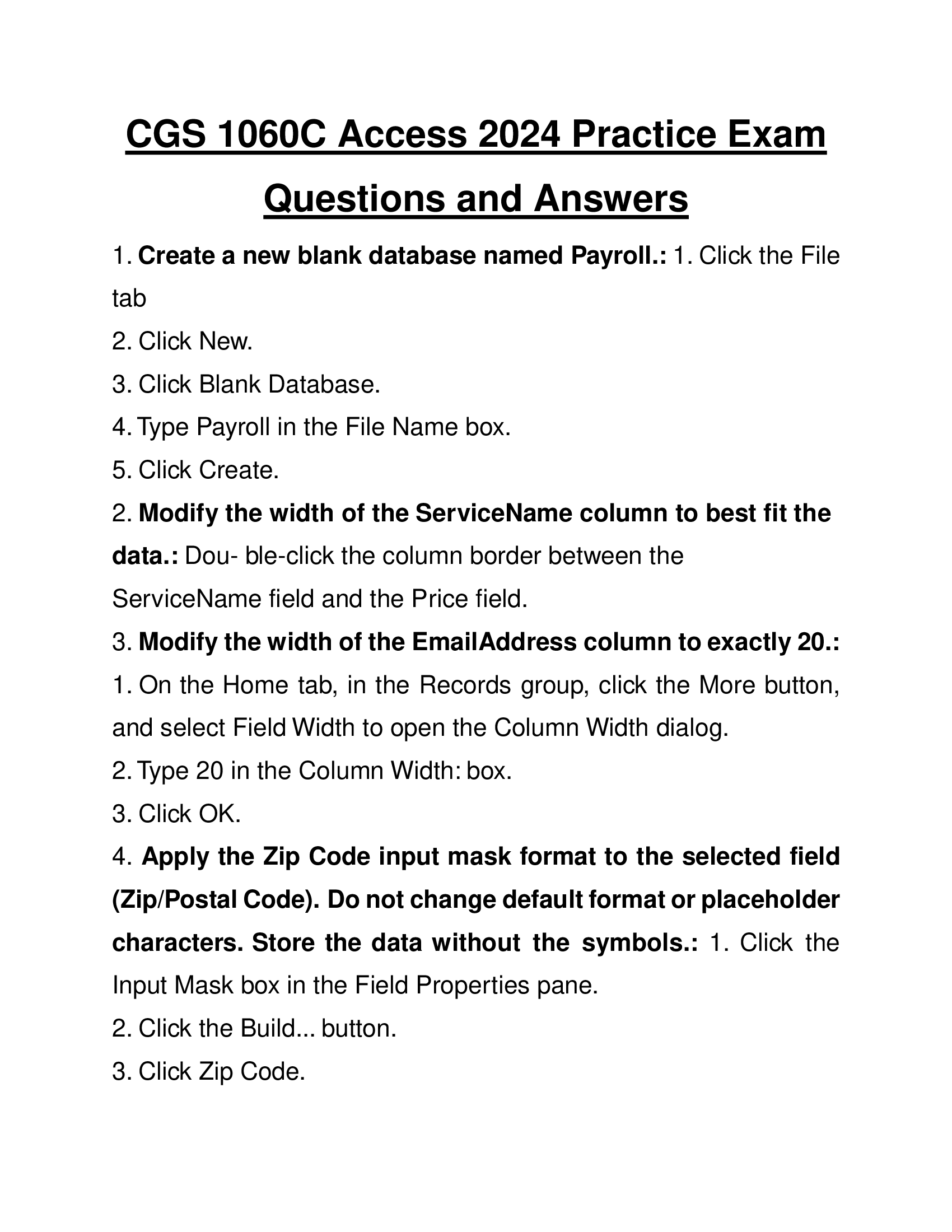
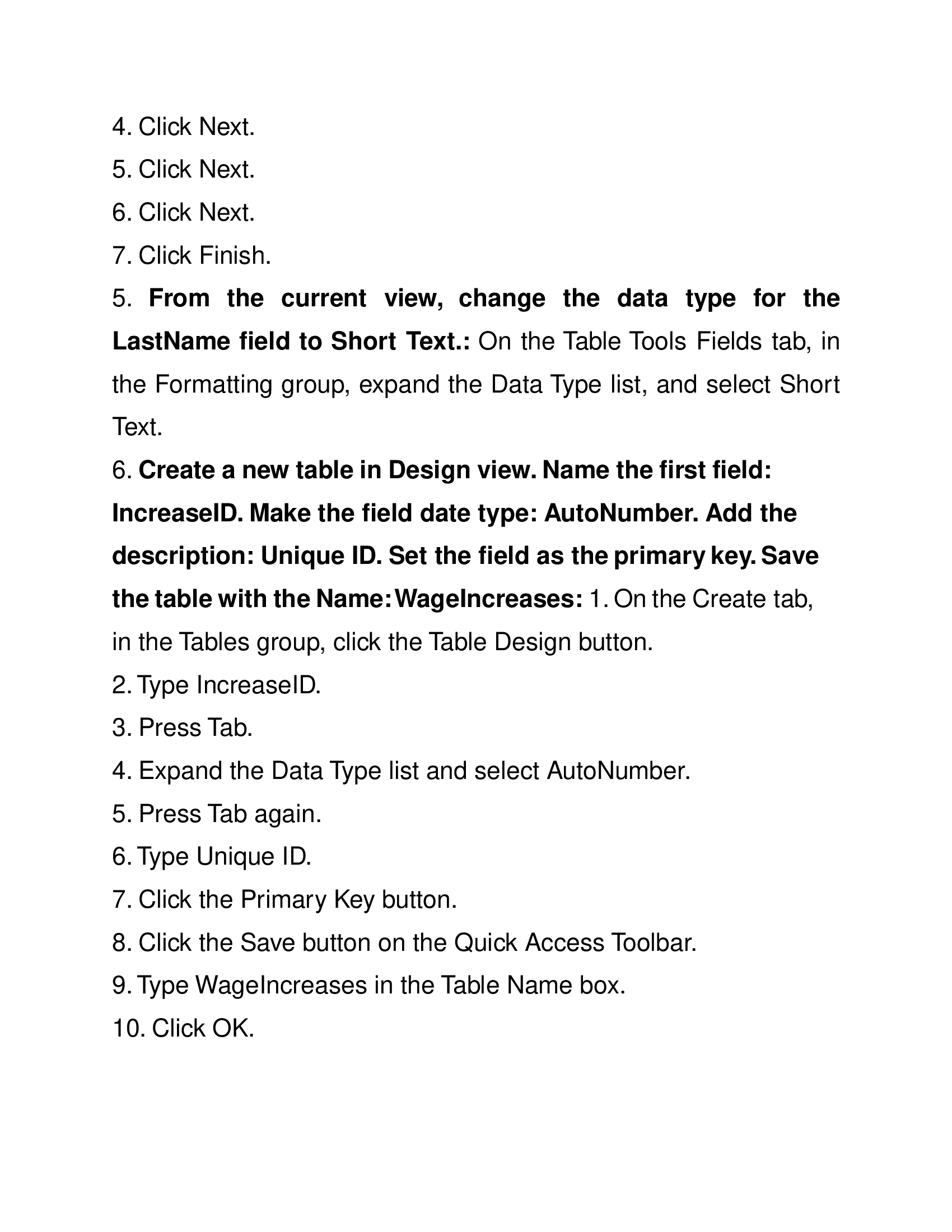
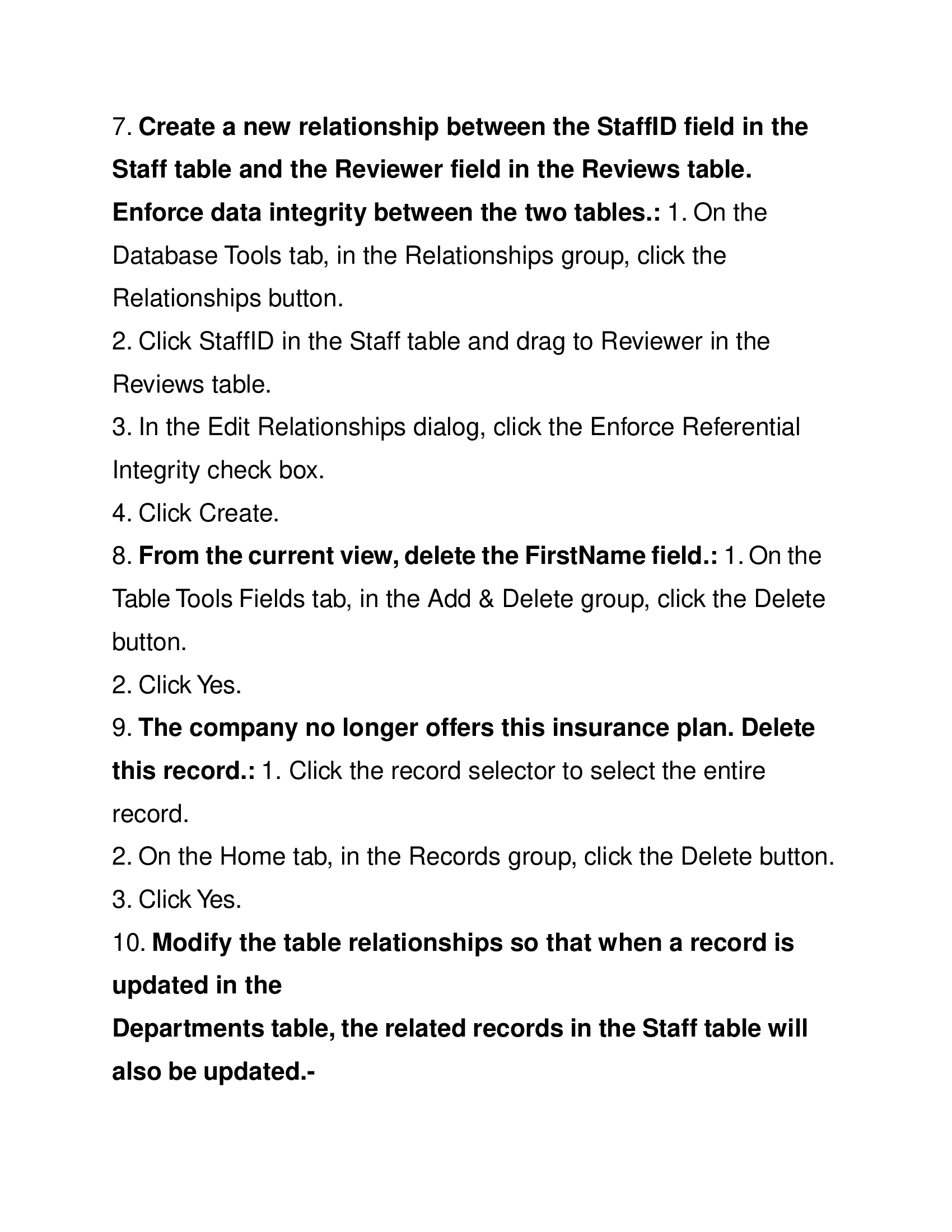
1. Create a new blank database named Payroll.: 1. Click the File tab 2. Click New. 3. Click Blank Database. 4. Type Payroll in the File Name box. 5. Click Create. 2. Modify the width of the ServiceName column to best fit the data.: Dou- ble-click the column border between the ServiceName field and the Price field. 3. Modify the width of the EmailAddress column to exactly 20.: 1. On the Home tab, in the Records group, click the More button, and select Field Width to open the Column Width dialog. 2. Type 20 in the Column Width: box. 3. Click OK. 4. Apply the Zip Code input mask format to the selected field (Zip/Postal Code). Do not change default format or placeholder characters. Store the data without the symbols.: 1. Click the Input Mask box in the Field Properties pane. 2. Click the Build... button. 3. Click Zip Code. 4. Click Next. 5. Click Next. 6. Click Next. 7. Click Finish. 5. From the current view, change the data type for the LastName field to Short Text.: On the Table Tools Fields tab, in the Formatting group, expand the Data Type list, and select Short Text. 6. Create a new table in Design view. Name the first field: IncreaseID. Make the field date type: AutoNumber. Add the description: Unique ID. Set the field as the primary key. Save the table with the Name:WageIncreases: 1. On the Create tab, in the Tables group, click the Table Design button. 2. Type IncreaseID. 3. Press Tab. 4. Expand the Data Type list and select AutoNumber. 5. Press Tab again. 6. Type Unique ID. 7. Click the Primary Key button. 8. Click the Save button on the Quick Access Toolbar. 9. Type WageIncreases in the Table Name box. 10. Click OK. 7. Create a new relationship between the StaffID field in the Staff table and the Reviewer field in the Reviews table. Enforce data integrity between the two tables.: 1. On the Database Tools tab, in the Relationships group, click the Relationships button. 2. Click StaffID in the Staff table and drag to Reviewer in the Reviews table. 3. In the Edit Relationships dialog, click the Enforce Referential Integrity check box. 4. Click Create. 8. From the current view, delete the FirstName field.: 1. On the Table Tools Fields tab, in the Add & Delete group, click the Delete button. 2. Click Yes. 9. The company no longer offers this insurance plan. Delete this record.: 1. Click the record selector to select the entire record. 2. On the Home tab, in the Records group, click the Delete button. 3. Click Yes. 10. Modify the table relationships so that when a record is updated in the Departments table, the related records in the Staff table will also be updated.-

Contact the Seller

Please Sign In to contact this seller.


  • 👎  Report Copyright Violation

Frequently Asked Questions

What Do I Get When I Buy This Study Material?

+

When you buy a study material on Passing Grades, an instant download link will be sent directly to your email, giving you access to the file anytime after payment is completed.

Is Passing Grades a Trusted Platform?

+

Yes, Passing Grades is a reputable students’ marketplace with a secure payment system and reliable customer support. You can trust us to ensure a safe and seamless transaction experience.

Will I Be Stuck with a Subscription?

+

No, all purchases on Passing Grades are one-time transactions. You only pay for the notes you choose to buy, with no subscriptions or hidden fees attached.

Who Am I Buying These Study Materials From?

+

Passing Grades is a marketplace, which means you are purchasing the document from an individual vendor, not directly from us. We facilitate the payment and delivery process between you and the vendor.

Does Passing Grades Offer Free Study Materials?

+

Yes, sellers on Passing Grades have uploaded numerous free test banks, exams, practice questions, and class notes that can be downloaded at no cost.

Pasinggrades - Quality Study Materials

USD 5

    • Quality checked by Pasing Grades
    • 100% satisfaction guarantee
    • Seller: Gradepush
Buy PDF $5

Seller Information

Gradepush

Member since December 2023

  • icon
  • icon
View Profile
  • total sales

    0
  • Favourites

    0
  • Comments

    0
    ( 0 Ratings )

Item Information

  • Uploaded

    24 November 2024

  • Updated

    05 January 2026

  • Category

    Nursing

  • Item Type

    questions & answers

  • Tags

    CGS 1060C Access 2024 Practice Exam Questions and Answers

Related Exam Prep Guides by Gradepush

NR 509 Week 1 Quiz 2026 Real Test
View Document

NR 509 Week 1 Quiz 2...

  • Gradepush

    Gradepush

  • questions & answers

NR 509 Week 1 Quiz 2025: Test your knowledge on holistic health, subjective vs. objective data, and ...

5 USD

0

0

NR 509 Week 2 Quiz 2026 Real Test
View Document

NR 509 Week 2 Quiz 2...

  • Gradepush

    Gradepush

  • questions & answers

NR 509 Week 2 Quiz 2025: Evaluate your understanding of physical assessment techniques, including in...

5 USD

0

0

NR 509 Week 3 Quiz 2026 Real Test
View Document

NR 509 Week 3 Quiz 2...

  • Gradepush

    Gradepush

  • questions & answers

NR 509 Week 3 Quiz 2025 focuses on key musculoskeletal concepts such as joint movements, flexion, an...

5 USD

0

0

Purchase

Download link will be sent to this email immediately after purchase.

IMPORTANT LINKS

  • How To Upload Class Notes
  • Selling Tips
  • Passing Grades's Study Materials
  • Scholarships for International Students 2025

POPULAR CATEGORIES

  • Law
  • Accounting
  • English
  • Psychology
  • Business
  • Nursing
  • Computer Science
  • General

View Document

  • Blog
  • Contact
  • Delivery Policy
  • Latest Scholarships Around the World
  • How to Pass Bar Exams: Passing Grades’ Strategies
  • How to Study and Pass the CPA Exam
  • All Test Banks
  • Faq
  • Copyright Claims
  • Privacy Policy
  • Terms of Use

KNOWLEDGE BASE

  • How to Write A+ Grade Good Research Paper
  • How to Manage Stress During Exam Period
  • Best Time to Study
  • How to Pass NCLEX-RN Exam
  • How To Effectively Utilize Test Banks
  • Popular Shadow Health Exam Assessments
  • Popular HESI Case Studies
  • How to Prepare for a Nursing Career
  • The Importance Of Summaries in Exam Revisvion

© 2026 Pasing Grades. All rights reserved.